

1. Introduction to MWM Control Panel Maintenance
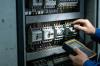
The MWM Control Panel is a critical operational component for MWM gas engines, generator sets, and power generation systems. It serves as the central hub for monitoring, controlling, and protecting engine performance, ensuring safe, efficient, and reliable operation across industrial, commercial, and power plant applications.
Regular maintenance and timely repair of the MWM Control Panel are essential to prevent unexpected downtime, extend equipment lifespan, maintain operational safety, and optimize fuel efficiency. Neglecting routine service can lead to system failures, inaccurate data readings, communication errors, and costly emergency repairs.
This comprehensive guide outlines daily, weekly, monthly, quarterly, and annual maintenance procedures, common fault diagnosis, repair protocols, safety standards, and best practices for all MWM Control Panel models, including standard digital panels, touchscreen interfaces, and remote monitoring modules.
2. Core Safety Protocols for Maintenance & Repair
- Shut down the entire engine/generator system and lockout/tagout (LOTO) power supplies before starting maintenance
- Discharge all capacitors in the control panel to eliminate residual electrical charge
- Wear appropriate PPE (insulated gloves, safety glasses, flame-resistant clothing) during service
- Keep the work area dry, clean, and free of flammable materials to prevent fire hazards
- Do not operate the control panel with damaged wiring, cracked enclosures, or faulty components
- Follow local electrical codes and MWM official safety guidelines for all repair procedures
- Document all safety checks and service activities for compliance and record-keeping
3. Scheduled Maintenance Program for MWM Control Panel
A structured maintenance schedule is the foundation of reliable MWM Control Panel performance. Below is the complete scheduled service plan:
3.1 Daily Maintenance (Operator Responsibilities)
- Visually inspect the control panel exterior for physical damage, cracks, or moisture ingress
- Check LED indicator lights for normal operation (no red/alarm lights active)
- Verify clear, legible display readings (temperature, pressure, speed, voltage, fuel levels)
- Listen for unusual noises (buzzing, clicking) from internal components
- Confirm no error codes or fault messages appear on the interface
- Wipe the panel surface with a soft, dry cloth to remove dust and fingerprints
3.2 Weekly Maintenance
- Clean ventilation grilles and fans to ensure proper heat dissipation
- Check cable connections for tightness (no loose or corroded terminals)
- Test alarm and shutdown functions for responsiveness
- Verify data communication between the control panel and engine sensors
- Inspect the panel enclosure seal for dust/water protection integrity
3.3 Monthly Maintenance
- Perform deep cleaning of internal components (PCBs, terminals, connectors) with compressed air (dry, oil-free)
- Calibrate display sensors and measurement modules for accuracy
- Check fuse conditions and replace any blown or damaged fuses with MWM-approved parts
- Inspect wiring harnesses for wear, fraying, or heat damage
- Test battery backup systems (if equipped) for voltage stability and charge status
3.4 Quarterly Maintenance
- Conduct full system diagnostic scan using MWM official software
- Tighten all electrical connections to manufacturer-specified torque values
- Inspect and clean circuit breakers and contactors
- Verify touchscreen responsiveness (if applicable) and recalibrate if needed
- Backup all configuration settings, operating parameters, and historical data
3.5 Annual Comprehensive Maintenance
- Complete disassembly, inspection, and cleaning of all internal modules
- Replace aging components (capacitors, fans, connectors, wiring)
- Perform load testing and functional validation of all control functions
- Update control panel firmware/software to the latest MWM official version
- Conduct performance benchmarking and efficiency optimization
- Issue a full maintenance report with recommendations for future service
4. Common Faults & Professional Repair Procedures
The MWM Control Panel may experience occasional faults due to environmental conditions, wear and tear, or power irregularities. Below are the most frequent issues and step-by-step repair solutions:
| Fault Symptom | Root Cause | Repair Procedure |
|---|---|---|
| Control panel fails to power on | Blown main fuse, damaged power supply, disconnected wiring | Replace fuse with OEM part; test power supply module; repair/replace damaged cables |
| Blank/dim display screen | Faulty LCD module, loose ribbon cable, backlight failure | Reconnect display cable; replace backlight or entire display assembly |
| False error codes/alarm triggers | Sensor malfunction, software glitch, loose connections | Calibrate sensors; reset control panel; update firmware; secure wiring |
| Unresponsive touchscreen/buttons | Moisture damage, worn touch layer, calibration error | Dry internal components; replace touchscreen; perform factory calibration |
| Communication failure with engine | Damaged communication cable, faulty interface module | Replace communication wiring; repair/replace CAN bus module |
| Overheating inside control panel | Clogged fan, blocked vents, faulty cooling system | Clean fan/ventilation; replace cooling fan; improve cabinet airflow |
| Intermittent power loss | Loose power terminals, corroded connectors, aging wiring | Clean corrosion; tighten terminals; replace damaged wiring harness |
4.1 Step-by-Step General Repair Workflow
- Power off the system and implement lockout/tagout safety measures
- Document current fault codes, system status, and operating conditions
- Visually inspect all components for physical damage, corrosion, or overheating
- Use multimeters and diagnostic tools to test electrical circuits and modules
- Isolate the faulty component and remove it carefully without damaging surrounding parts
- Install genuine MWM replacement parts (never use uncertified third-party components)
- Reassemble the control panel and restore power connections
- Perform functional testing, calibration, and diagnostic verification
- Clear fault codes and monitor system operation for stability
- Record all repair details, parts replaced, and test results in service logs
5. Component-Specific Maintenance & Care
5.1 Printed Circuit Boards (PCBs)
PCBs are the core of the MWM Control Panel. Avoid physical stress, moisture, and static electricity. Clean only with dry compressed air or isopropyl alcohol wipes. Do not use water or abrasive cleaners. Replace PCBs showing burn marks, delamination, or component damage.
5.2 Sensors & Wiring Harnesses
Inspect sensors for proper mounting and connection. Check wiring for heat damage, rodent infestation, or abrasion. Secure loose cables and replace damaged sections immediately. Use only MWM-specified wiring for replacements.
5.3 Power Supply & Battery Modules
Test voltage output regularly. Replace backup batteries every 2–3 years (or per manufacturer guidelines). Ensure stable input power to avoid power supply burnout. Protect against power surges with approved surge protectors.
5.4 Enclosure & Sealing
The control panel enclosure protects internal parts from dust, moisture, and physical damage. Inspect gaskets and seals monthly. Replace worn seals to maintain IP (Ingress Protection) ratings. Repair dents or cracks to preserve structural integrity.
6. Software, Firmware & Data Management
Digital MWM Control Panels rely on software and firmware for optimal operation. Improper software management can cause system instability and performance issues.
- Only install firmware updates released officially by MWM – unauthorized updates will void warranties and cause system failure
- Backup all configuration data before performing updates or factory resets
- Calibrate the system after firmware updates to ensure measurement accuracy
- Regularly clear temporary system logs to maintain processing speed
- Use MWM-approved diagnostic software for troubleshooting and monitoring
- Protect the control panel from cyber threats by using secure, isolated networks for remote access
7. Troubleshooting Advanced Issues
For complex or persistent faults not resolved by standard repairs, follow these advanced troubleshooting steps:
- Compare current operating parameters with factory default settings to identify discrepancies
- Test individual components in isolation to rule out secondary failures
- Check for ground faults, short circuits, or abnormal resistance in electrical circuits
- Review historical fault data to identify recurring patterns or root causes
- Contact MWM technical support for model-specific diagnostic support
- Perform a full factory reset (as a last resort) after backing up all critical data
8. Best Practices for Long-Term Reliability
- Use only genuine MWM spare parts for all repairs and replacements
- Maintain a clean, temperature-controlled environment for the control panel
- Train operators on basic daily checks to catch issues early
- Keep detailed service records for warranty claims and performance tracking
- Schedule proactive maintenance instead of waiting for failures to occur
- Protect the panel from power surges, voltage fluctuations, and extreme weather
- Regularly review MWM’s latest service bulletins for model-specific updates
9. Conclusion
The MWM Control Panel is a vital component that demands consistent, professional maintenance to deliver peak performance and reliability. By following this comprehensive maintenance and repair guide, you can minimize downtime, reduce operational costs, extend equipment life, and ensure safe operation for years to come.
Always prioritize safety, use genuine parts, and adhere to MWM’s official service standards. For complex repairs or unresolved faults, contact authorized MWM service technicians to avoid further damage and maintain warranty coverage.