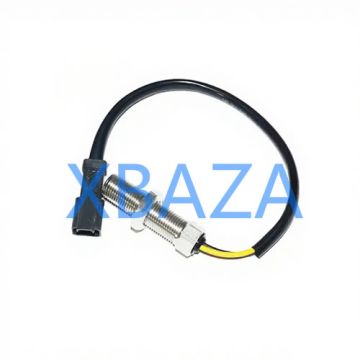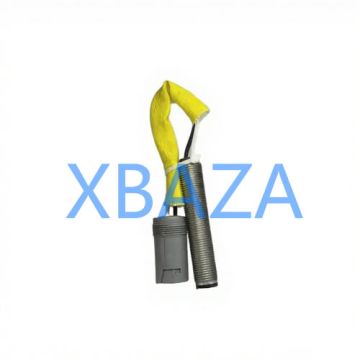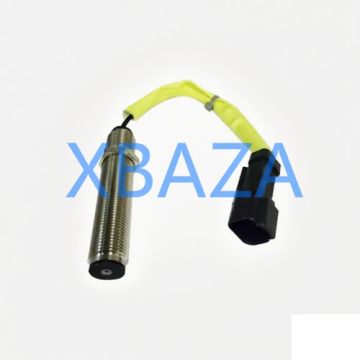
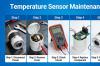





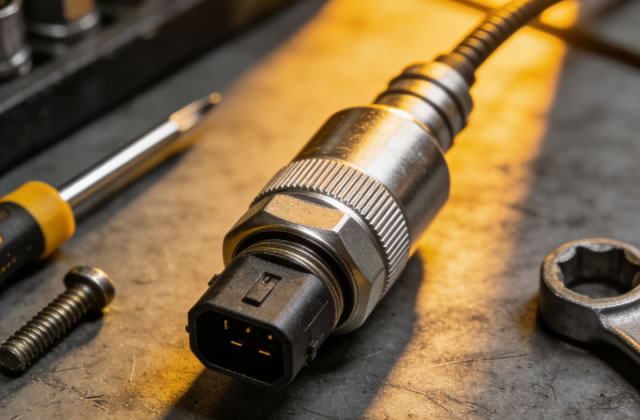
Caterpillar (CAT) speed sensors are critical electronic components used across CAT heavy machinery, including excavators, loaders, bulldozers, trucks, generators, and industrial engines. These sensors monitor rotational speed of shafts, gears, flywheels, turbochargers, and transmission components, sending real-time speed data to the Engine Control Module (ECM) or machine control system. Accurate speed sensor performance ensures optimal engine operation, transmission shifting, fuel efficiency, and overall equipment safety.
Failure or poor maintenance of CAT speed sensors often leads to rough engine performance, delayed shifting, fault codes, reduced power, unexpected shutdowns, and even costly mechanical damage. This comprehensive guide covers routine maintenance, visual inspection, electrical testing, troubleshooting, repair procedures, replacement standards, and long-term reliability best practices for all CAT speed sensor types.
1. Overview of CAT Speed Sensor Types & Working Principles
CAT equipment uses two primary categories of speed sensors, each with distinct design and maintenance requirements:
1.1 Magnetic Pickup (MPU) / Passive Speed Sensors
- Self-powered, no external voltage required
- Generate AC voltage signals when exposed to rotating gear teeth
- Commonly used for flywheel, crankshaft, and camshaft speed detection
- Durable but sensitive to metal debris and air gap changes
1.2 Hall-Effect / Active Speed Sensors
- Require 5V or 12V external power supply from ECM
- Produce stable digital square-wave signals
- Perform well at low rotational speeds
- Widely used in modern CAT transmissions, engines, and turbo systems
- More resistant to contamination than passive sensors
2. Routine Maintenance of CAT Speed Sensors
Preventive maintenance is the most effective way to extend sensor service life and avoid unplanned downtime. Follow this scheduled maintenance protocol:
2.1 Cleaning & Contamination Prevention
Oil, grease, mud, metal shavings, and coolant are the top causes of speed sensor failure. Perform these steps every 250–500 operating hours:
- Disconnect the sensor electrical connector before cleaning to avoid short circuits
- Use a soft brush and lint-free cloth to remove dirt, debris, and oil from the sensor body
- Clean the sensor tip and target gear teeth with approved CAT electrical cleaner (do NOT use harsh solvents or high-pressure water directly)
- Remove metal filings with a magnetic pickup tool to prevent signal interference
- Inspect and clean wiring harnesses to eliminate oil wicking into connectors
2.2 Air Gap Inspection & Adjustment
Air gap (distance between sensor tip and rotating gear) is critical for accurate signal output. Incorrect gap causes weak or intermittent signals.
- Verify factory-specified air gap (typically 0.5–1.5 mm for most CAT models)
- Use a non-metallic feeler gauge to measure gap (metal gauges may cause magnetic interference)
- Adjust mounting bolts or spacers to meet CAT specifications
- Re-torque mounting fasteners to OEM torque values to avoid loosening during operation
2.3 Connector & Wiring Maintenance
- Inspect connectors for corrosion, bent pins, moisture, or loose locks
- Apply dielectric grease to connector terminals to prevent water intrusion and corrosion
- Check wiring for cracks, chafing, heat damage, or rodent chew marks
- Secure loose wiring with clips to avoid vibration damage
3. Professional Inspection & Testing Procedures
When fault codes (e.g., P0500, P0720) appear or machine performance declines, perform these diagnostic tests:
3.1 Visual Inspection
- Check for physical damage: cracked housing, broken wires, damaged connector locks
- Look for oil/coolant leaks penetrating the sensor or wiring
- Confirm sensor is fully seated and mounting hardware is intact
3.2 Multimeter Testing (Passive Magnetic Sensors)
- Disconnect sensor connector
- Set multimeter to measure AC voltage
- Crank engine or rotate target gear manually
- A working sensor should produce 0.5–2.0 AC volts (varies by model)
- Test internal resistance: typical range 200–1500 ohms (out of range = faulty sensor)
3.3 Multimeter Testing (Hall-Effect Sensors)
- Reconnect sensor and turn ignition ON (do NOT start engine)
- Measure reference voltage: should be 5V or 12V from ECM
- Check ground circuit for continuity
- Monitor signal voltage while rotating gear: should pulse between low and high voltages
- Read and clear active/historic fault codes
- Monitor real-time speed sensor data
- Verify ECM communication and signal quality
- Confirm calibration settings match sensor specifications
- No signal output: Clean sensor tip, restore correct air gap, repair broken wiring, replace faulty connector
- Intermittent signal: Fix loose connections, repair damaged harness, eliminate vibration stress
- Weak signal: Adjust air gap, remove metal debris, replace worn sensor
- Corroded connector: Clean terminals, apply dielectric grease, replace sealed connector if damaged
- Oil-contaminated sensor: Repair source of leak, clean or replace sensor, replace damaged wiring
- Disconnect the battery to avoid electrical short circuits
- Disconnect the sensor electrical connector
- Remove mounting bolts and carefully extract the sensor
- Clean mounting bore and gear teeth thoroughly
- Repair or replace damaged wiring/connectors
- Reinstall sensor and set correct air gap
- Torque fasteners to CAT OEM specifications
- Reconnect connector and apply dielectric grease
- Reconnect battery and test sensor operation
- Clear fault codes using CAT ET and verify performance
- Internal coil failure (open or short circuit)
- Cracked, broken, or seized sensor housing
- Permanent oil/coolant internal contamination
- Consistently failed diagnostic tests
- Unresolved fault codes after maintenance and repair
- Follow CAT factory maintenance schedules strictly
- Use only approved cleaning agents and dielectric grease
- Fix fluid leaks immediately to protect sensors and wiring
- Avoid modifying sensor mounting or wiring
- Train operators to report abnormal performance early
- Store spare sensors in clean, dry, sealed packaging
- Document all maintenance, repairs, and replacements for traceability
3.4 CAT Electronic Technician (CAT ET) Software Diagnostic
For accurate fault diagnosis, use CAT ET software to:
4. CAT Speed Sensor Repair & Troubleshooting
Most CAT speed sensor issues are repairable without full replacement if addressed early.
4.1 Common Faults & Solutions
4.2 Step-by-Step Sensor Repair Process
5. When to Replace a CAT Speed Sensor
Replacement is required if the sensor shows any of the following conditions:
Always use genuine CAT replacement speed sensors to ensure compatibility, accuracy, and long service life. Aftermarket sensors may cause system errors and premature failure.
6. Long-Term Reliability & Best Practices
7. Conclusion
CAT speed sensors are small but vital components that directly impact the performance, efficiency, and safety of Caterpillar machinery. Proper routine maintenance, regular inspection, accurate testing, and timely repair can drastically reduce failures and extend sensor lifespan. When issues occur, systematic troubleshooting using CAT-approved tools and procedures will resolve most problems quickly.
By following the guidelines in this manual, technicians and equipment managers can minimize downtime, lower operating costs, and maintain peak performance for all CAT equipment equipped with speed sensors. Always prioritize genuine CAT parts and OEM service specifications for optimal results.